PDF editor for iPhone

Edit the real text of any PDF. In Arabic too.

Change the words in contracts, forms and letters, sign with your finger, and turn scans into text you can edit. Everything happens on your iPhone.

Try it free · coming soon Free to try. No account needed.
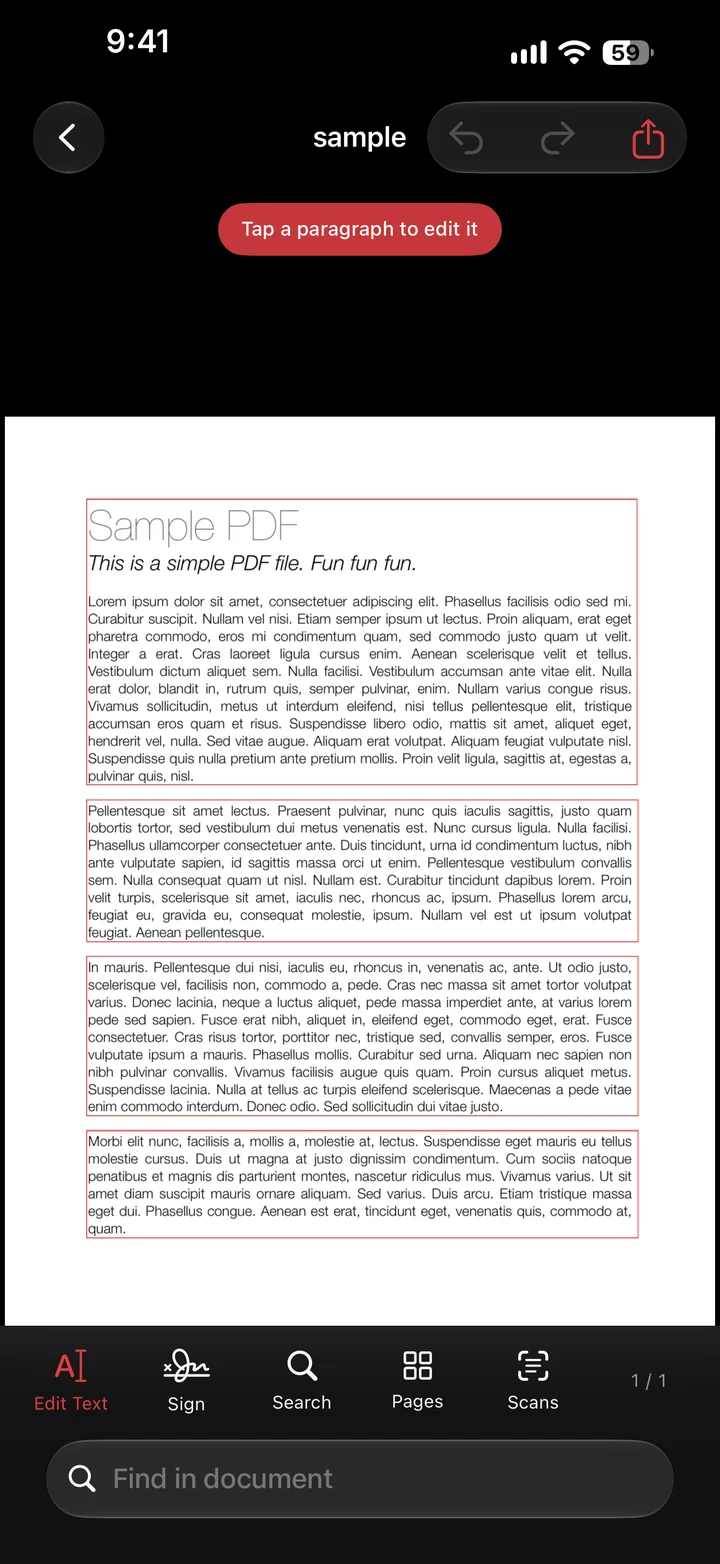
A PDF in Edit Text mode, each paragraph outlined in red
Edit text

Change the words, keep the page

Tap Edit Text and every paragraph gets a frame. Tap one, type, and it is redrawn in place with its size and colour.

  • Arabic and English, even mixed in one line
  • Numbers, dates and references stay in their sentence
  • Undo and redo every change
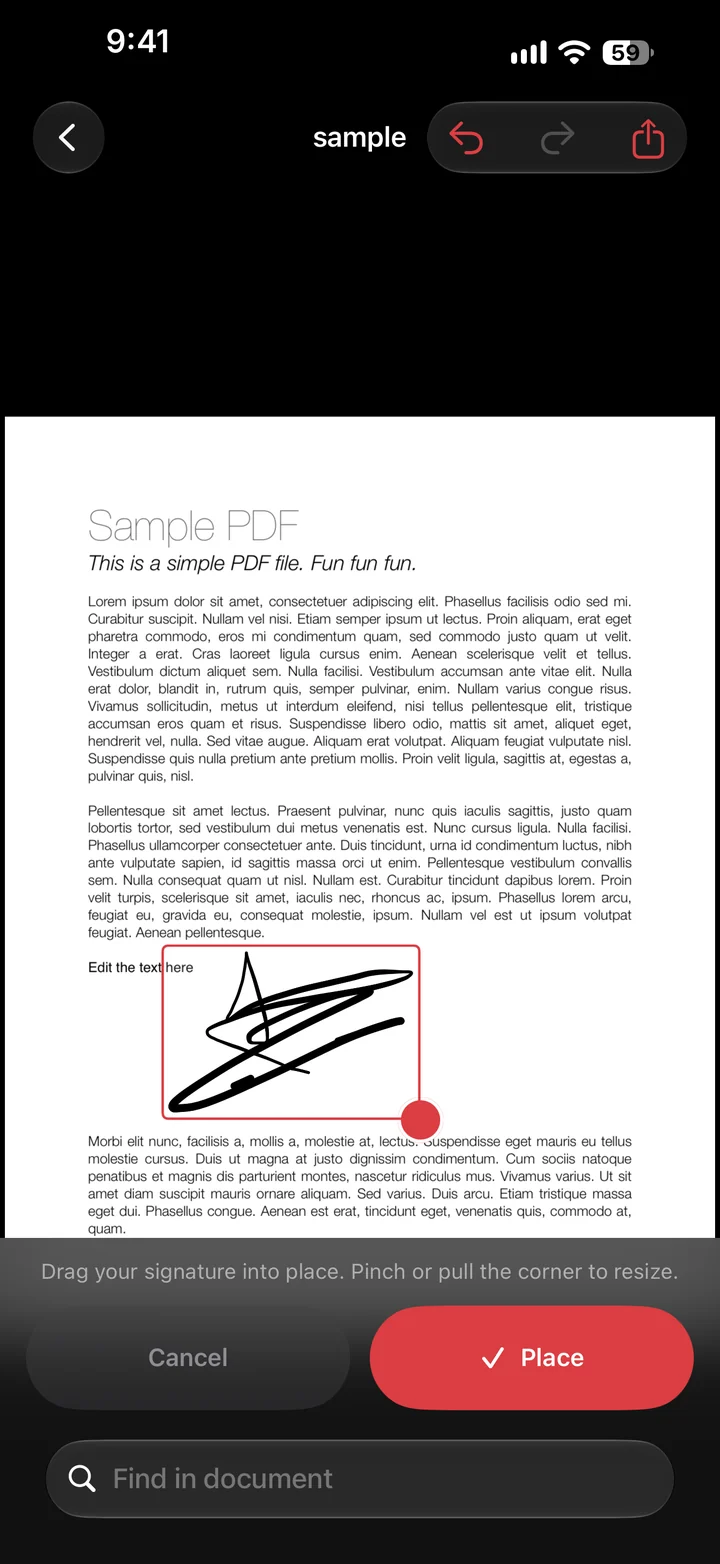
A signature being dragged into place on a page, with Cancel and Place buttons
Sign

Sign in seconds, exactly where it goes

Draw your signature once. Next time, pick it, drag it onto the line, pinch to resize, and tap Place.

  • Keep up to three signatures and three initials
  • Add today's date and checkmarks the same way
  • Saved on your iPhone only
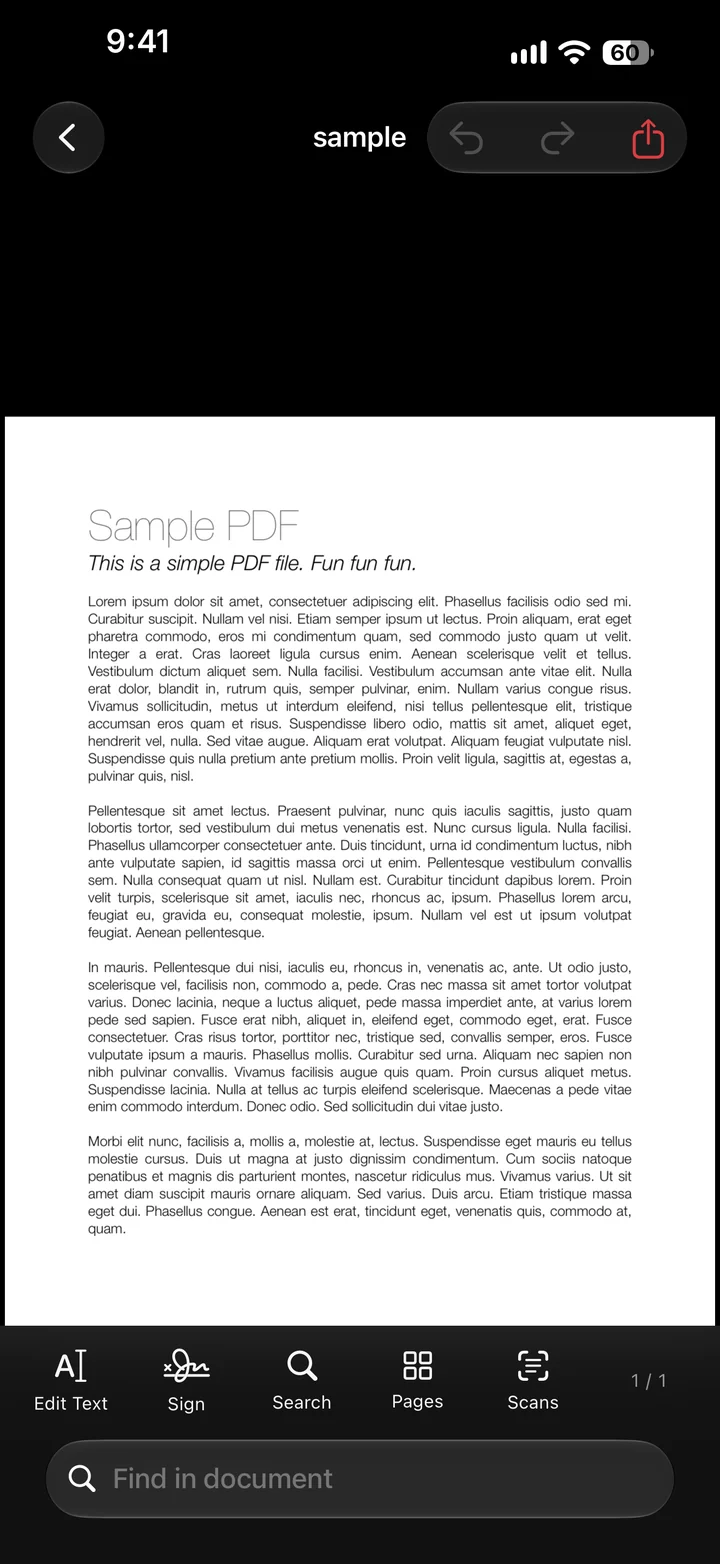
A PDF open in PDF Editor, ready to search and edit
Scans

Scans become text you can edit

Photograph a paper document or open a scanned PDF. PDF Editor reads the Arabic and English in it, so you can search, copy and change it.

  • Text recognition runs on the iPhone itself
  • Stamps and handwritten signatures are left alone
  • Scan with the camera into a new PDF
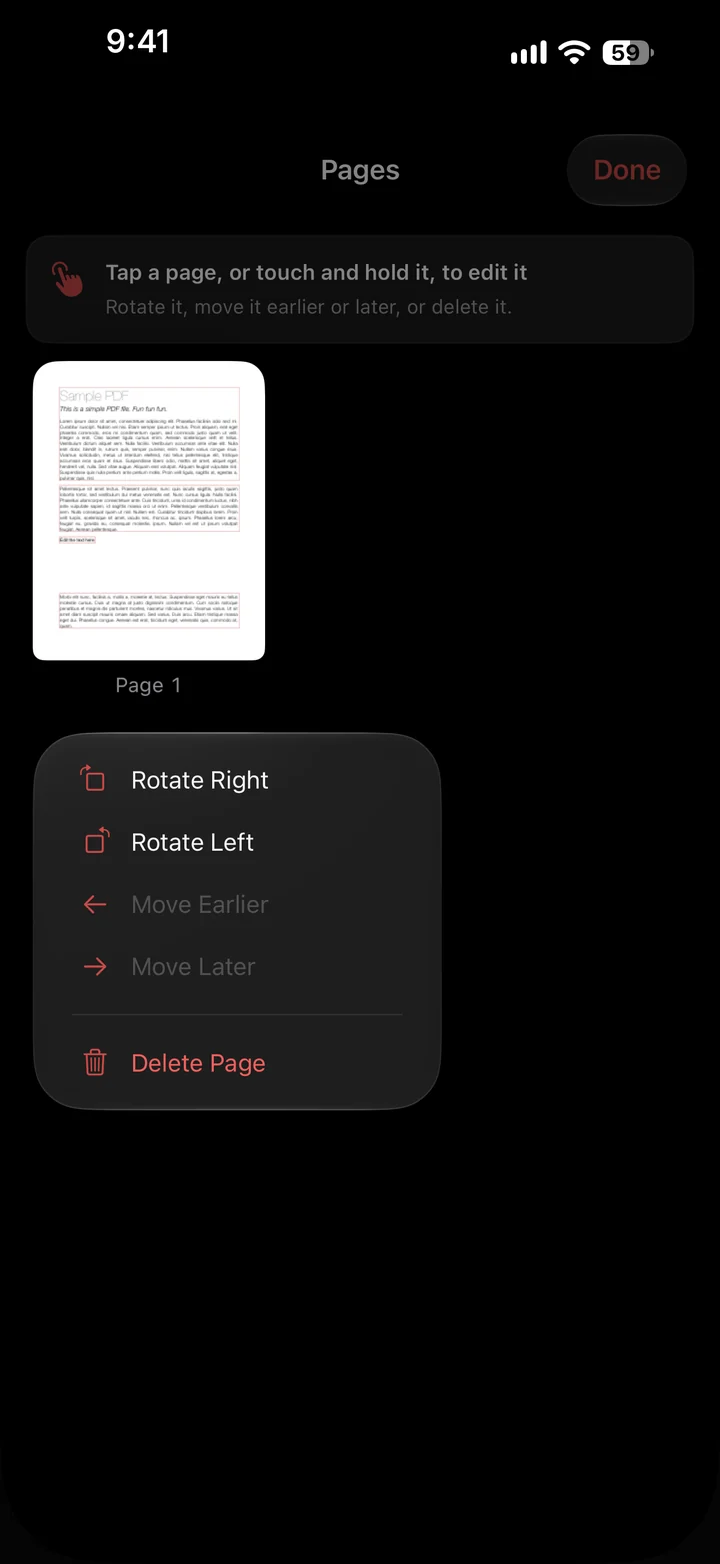
The Pages screen with options to rotate, move or delete a page
Pages

Put pages in order

Tap a page to rotate it, move it earlier or later, or delete it. Search finds any word across the document.

Arabic, done properly
عدّل العقد رقم 2025/7525 بتاريخ 31-12-2025 دون أن يتغيّر شكل الصفحة.
Right to leftLines run from the right and letters join the way they should.
Numbers in placeDates and reference numbers keep their order inside Arabic sentences.
Whole paragraphsScanned Arabic opens as paragraphs you edit at once, not word by word.
Privacy

Your documents stay on your iPhone

Works offline

Editing, signing and text recognition need no internet.

Nothing uploaded

Your PDFs are never sent to a server. Not ours, not anyone's.

No account

No sign-up, no ads, no tracking. The App Store shows "Data Not Collected".

Delete everything

One button in Settings removes all your PDFs and saved signatures.

Questions

Is it free?

You can try everything free for 7 days. After that, PDF Editor Pro continues as a monthly subscription through the App Store, and you can cancel any time in your iPhone settings before the trial ends.

Which iPhones does it work on?

Any iPhone with iOS 17 or later. Reading Arabic in scans uses Apple's text recognition, which needs iOS 18 or later.

Can I edit any PDF?

PDFs with real text can be edited directly. Scanned pages and photos are first read into text, then edited the same way. Password-protected PDFs open with their password, within what their owner allows.

Is a signature in PDF Editor legally binding?

It places an image of your handwritten signature on the page, like signing a printout. Whether that is enough depends on the document and where you are; ask the person who sent it if you are unsure.

How do I cancel?

Open Settings on your iPhone, tap your name, then Subscriptions, and choose PDF Editor Pro. You keep access until the end of the period you paid for.

Where do I get help?

Email my.aliramadan@gmail.com or visit the support page.